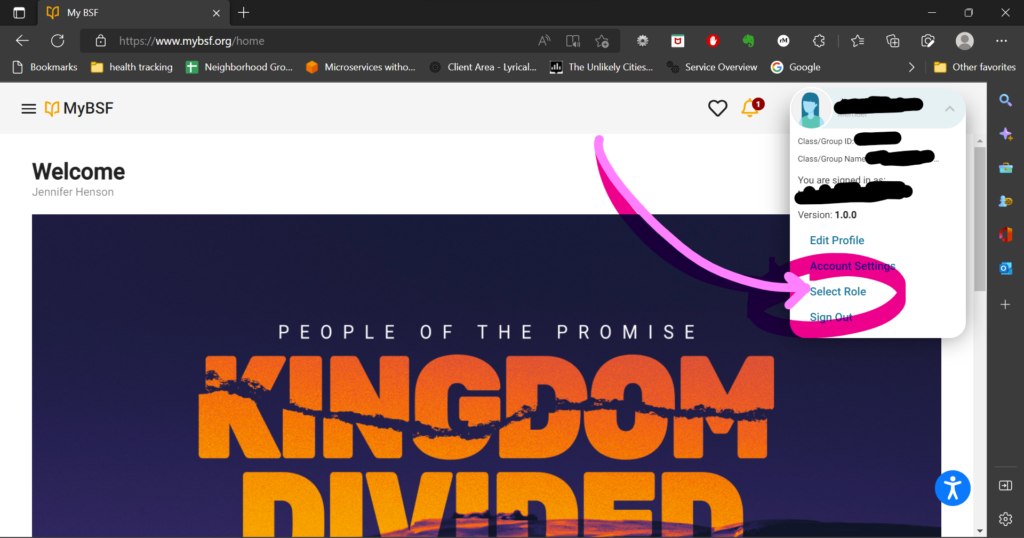
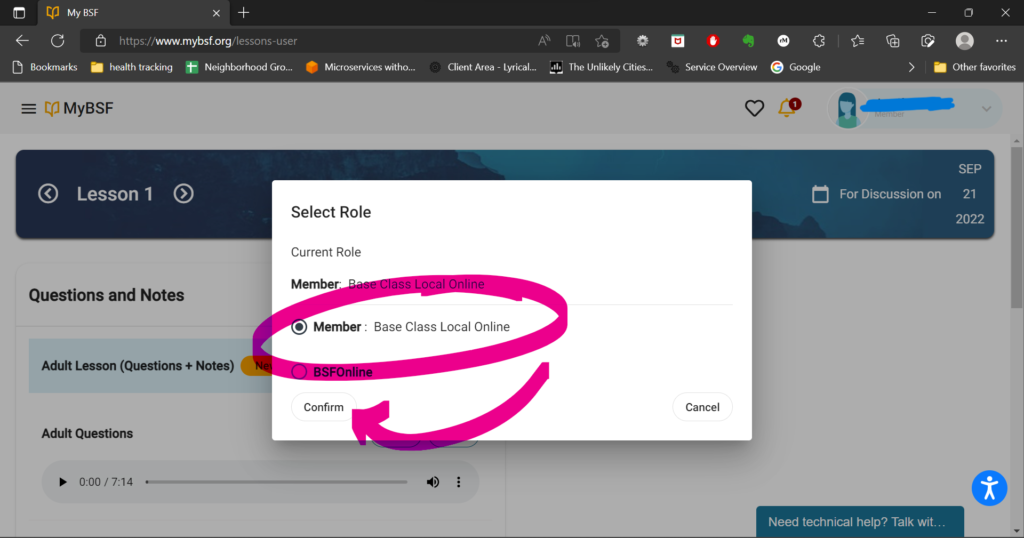
There have been some glitches in the mybsf website — even after following these steps, I have found that the lecture ‘disappears’ the next time I log in, and I have to re-select the local class group in order to see it again.
Hopefully these steps will help:
- Log in to mybsf.org
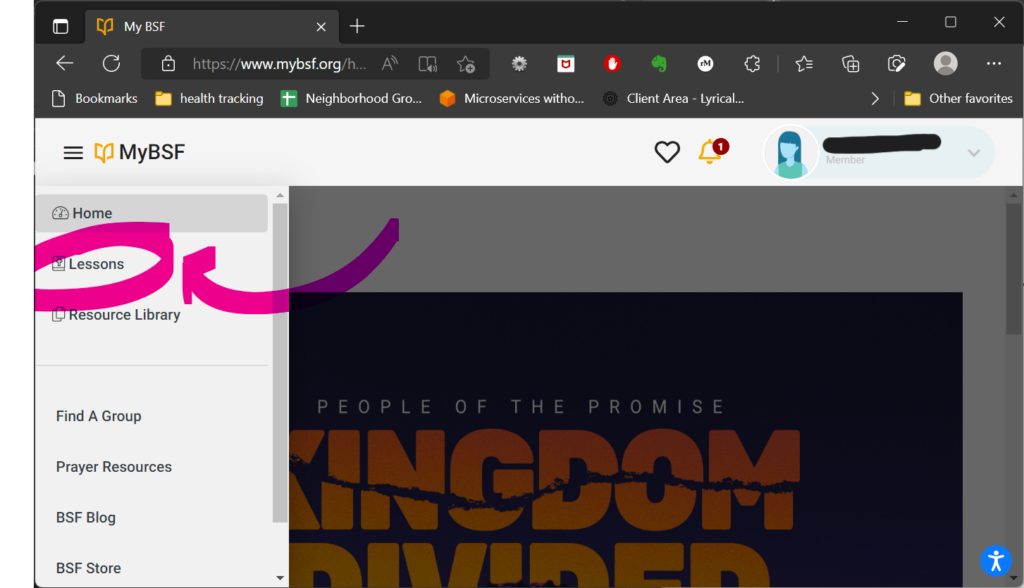
- Click the = icon in the very top left corner to get the menu options
- Click Lessons
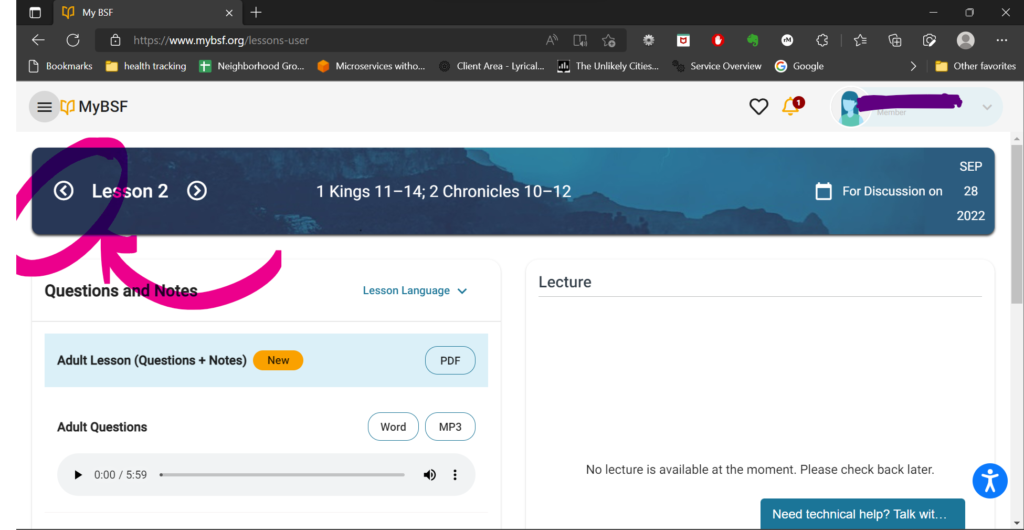
The lecture section should appear in the right side of the screen.
If the section shows “No Lecture is available at the moment” all you have to do is click the < arrow to move to an earlier lesson.
If there is no Lecture section at all, and moving to a different lesson with the < button does not work, follow the next steps.
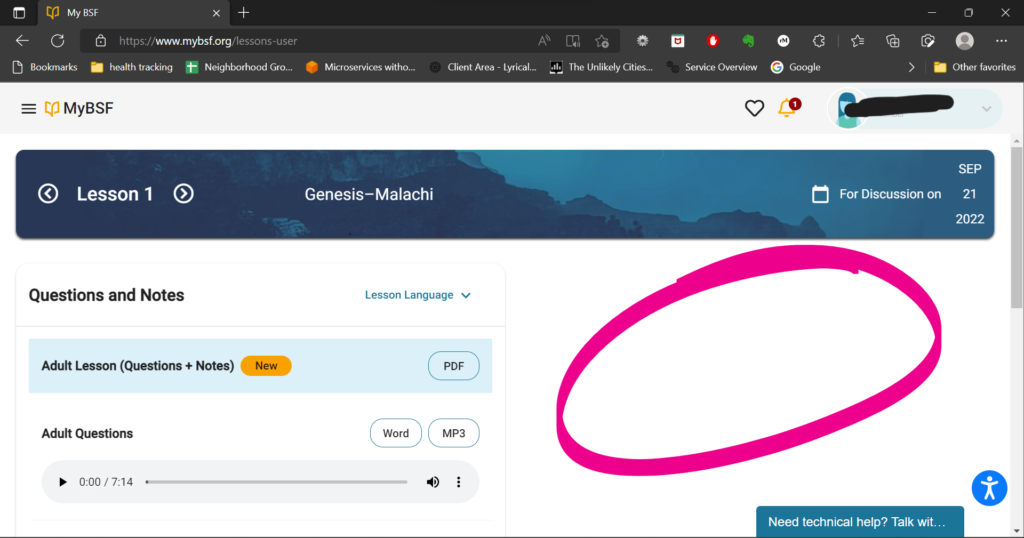
To get the Lecture section to appear:
- Click your name in the very top right of the screen
- Then click “Select Role”
- Click “Base Class Local Online”
- Click “Confirm”
You might have to follow the steps to get back into lessons and get to a screen that will show you the latest lecture.