- Open up your phone’s picture gallery
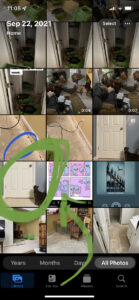
2. Select the picture you want to send
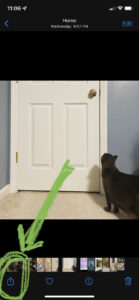
3. Click the ‘Share’ icon (it probably has a box with an arrow on it)
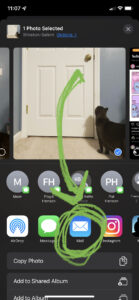
4. Click the ‘Email’ option
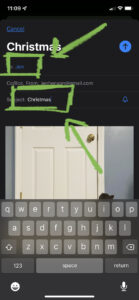
5. Enter the email address and subject
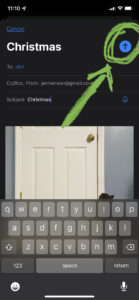
6. Click the ‘Send’ icon (it is probably an arrow button at the top of the screen)